
In this article:
- Reinstating an NMS
- Removing an NMS
- Declining an NMS
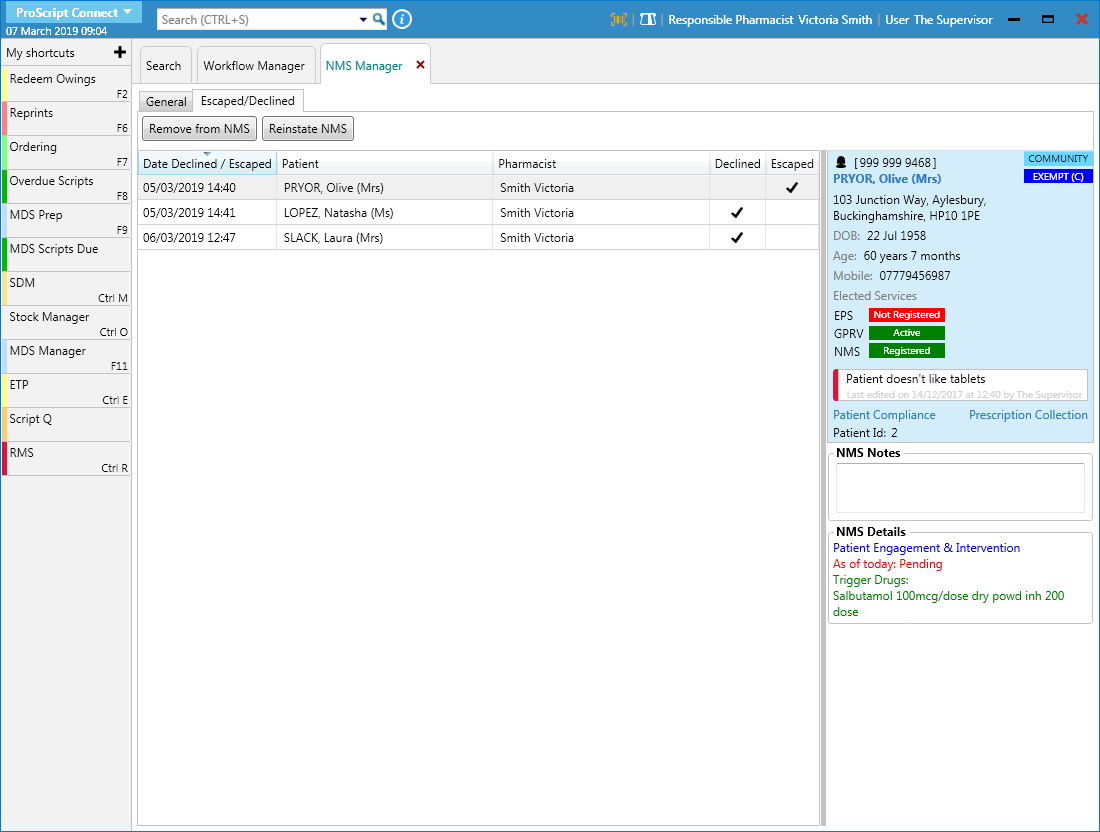
When you decline, cancel or escape an NMS review from the NMS Notification, the record is moved to the Escaped/Declined tab in the NMS Manager. From this tab you can then either reinstate or remove the NMS. An NMS is declined from the General tab.
Reinstating an NMS
- To access NMS Manager, from the ProScript Connect Main Screen, click ProScript Connect, then select NMS Manager.
- On the NMS Manager screen, select the Escaped/Declined tab.
- Highlight the NMS record that you want to reinstate and click Reinstate NMS.
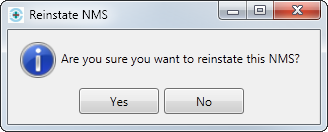
- A confirmation message is displayed, click Yes. A new NMS form opens on the Patient Engagement tab for completion.
Removing an NMS
 Removing an NMS record is permanent and irreversible.
- On the NMS Manager screen, select the Escaped/Declined tab.
- Highlight the NMS record that you want to remove and click Remove from NMS.
- A confirmation message is displayed, click Yes. The NMS is removed.
Declining an NMS
There are two ways to decline an NMS:
- from the NMS Manager
- from the NMS Notification
Declining an NMS from the NMS Manager
NMS reviews cannot be declined after the Patient Engagement has been completed.
- On the NMS screen, select the General tab
- Highlight the NMS you want to decline and click F2 – Decline. The NMS Decline screen is displayed
- The Pharmacist Details section is populated based on the pharmacist details saved on the NMS Notification. This can be edited, click F5 – Select Pharmacist, if required.
- Add any notes if applicable, then click F10 – Decline NMS. The NMS record is moved to the Escaped/Declined tab of the NMS Manager where you can remove the NMS record or reinstate it to resume the process.
Declining an NMS from the notification
The NMS Notification screen automatically displays when you dispense and endorse an item that belongs to one of the specific target groups.
Enter notes if required, then click F2 – Decline NMS. The NMS record is moved to the Escaped/Declined tab of the NMS Manager where you can remove the NMS record or reinstate it to resume the process.